
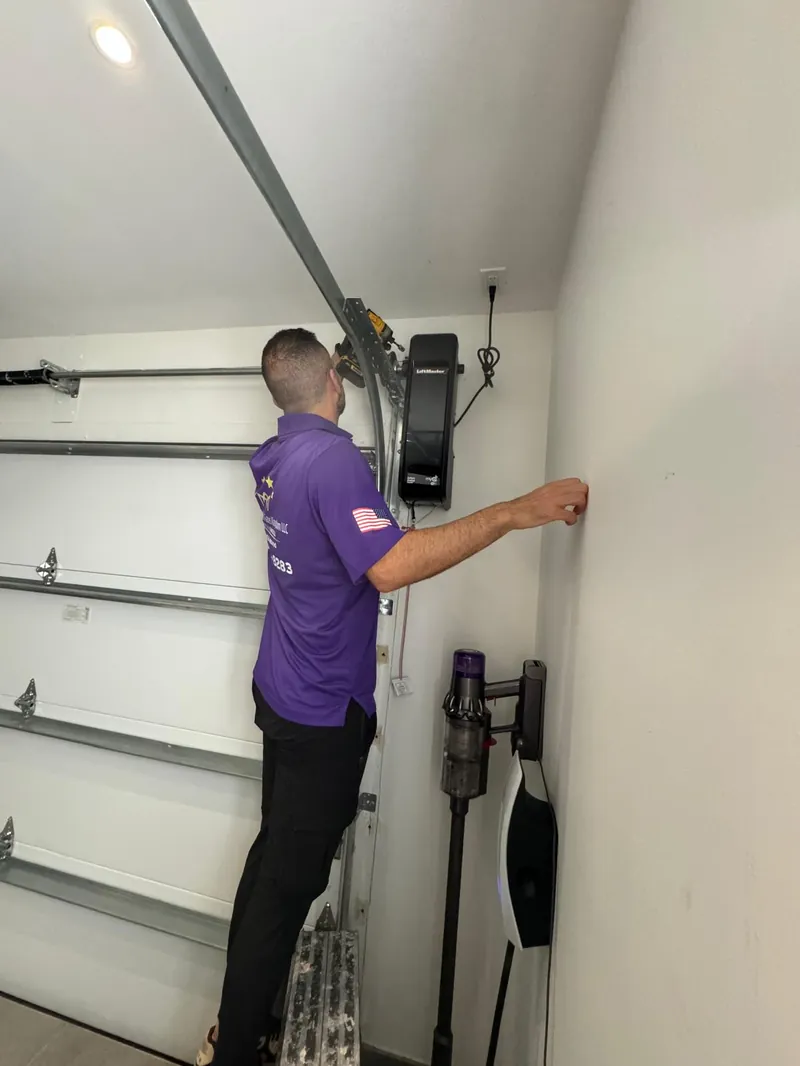
Most LiftMaster MyQ WiFi problems come down to three things: the router is broadcasting 5GHz only (MyQ needs 2.4GHz), the opener needs a full reset via the learn button, or the app needs the pairing repeated from scratch. Hold the learn button 6-10 seconds to reset, confirm your network has a 2.4GHz band, then re-pair through the MyQ app. If the opener still won't connect after that, the WiFi board itself is likely failing and needs a technician to inspect it. Call Garage Door Kingdom at (786) 258-8283 for same-day diagnosis anywhere in Broward County.
If you're reading this, your LiftMaster MyQ opener is probably doing one of three things: refusing to connect to WiFi, refusing to hold a reset, or just not responding to the app at all. Before you assume the unit is dead, walk through the troubleshooting steps below — most MyQ connectivity issues are fixable in under ten minutes without a service call. We'll also flag the point where it stops being a WiFi problem and starts being a hardware problem worth having a technician look at.
Where Is the Learn Button on a LiftMaster MyQ Opener?
The learn button is the small button used to pair remotes, keypads, and the MyQ WiFi module to the opener's motor unit. Its location and color vary by model generation:
- Ceiling-mount belt and chain drives (most common): On the back or side panel of the motor head, near the antenna wire. Usually purple, yellow, orange, or green.
- Wall-mount jackshaft openers (e.g. LiftMaster 8500W): On the front control panel, clearly labeled "Learn."
- Openers with a separate MyQ Internet Gateway accessory (pre-2011 units): The learn button is on the gateway box itself, not the motor unit.
Press it once (don't hold it) to enter pairing mode for remotes and keypads — the indicator light next to it will glow or blink for about 30 seconds while it waits for a signal.
How to Reset Your LiftMaster MyQ Opener
A full reset clears every paired remote, keypad, and the MyQ WiFi connection — useful when the opener is stuck in a bad state and a normal re-pair won't take.
- Locate the learn button on the motor unit (see above).
- Press and hold it for 6-10 seconds until the indicator light flashes rapidly, then turns off.
- Every remote, keypad, and the MyQ app connection is now cleared.
- Re-pair each remote/keypad individually, then reconnect MyQ through the app from scratch.
A full reset does not touch the opener's travel limits or force settings — you won't need to re-run door-height calibration afterward.
How to Program a LiftMaster MyQ Garage Door Opener
Setting up MyQ from scratch (new opener, or after a reset) takes about 5-10 minutes if your WiFi is already 2.4GHz:
- Download the MyQ app and create or sign in to your account.
- Tap Add Device and select your opener's model or category.
- Press the learn button on the motor unit once — the LED will light up to confirm pairing mode.
- Follow the in-app WiFi setup screen and select your home network (2.4GHz band only).
- The app will prompt you to run a test open/close cycle and confirm the safety sensors are aligned before finishing.
How to Connect LiftMaster MyQ to WiFi (and Fix "Not Connecting" Errors)
This is the single most common complaint we hear about MyQ, and it's almost always one of these four causes:
- 5GHz-only network: MyQ's WiFi module only supports 2.4GHz. If your router broadcasts a combined or 5GHz-only SSID, either split the bands in your router settings or connect to the 2.4GHz-specific network name.
- Weak signal in the garage: Garages are often the farthest room from the router, and steel doors and framing block signal further. A mesh WiFi extender node in or near the garage fixes most of these cases permanently.
- Outdated app or firmware: Update the MyQ app from your phone's app store, and make sure the opener has had power (and therefore a chance to auto-update firmware) for at least a few minutes before retrying.
- Incomplete prior pairing: If a previous setup attempt was interrupted, the opener can be left in a half-paired state. A full reset (above) clears this cleanly.
Work through these in order — router band, signal strength, app/firmware, then a full reset — before assuming the unit itself has failed.
Does MyQ Work With My LiftMaster Opener?
Not every LiftMaster opener supports MyQ. As a quick compatibility check:
- Built-in WiFi (2011 or newer): Most LiftMaster openers made since 2011 have MyQ WiFi built in — no accessory needed.
- Yellow learn button (pre-2011): Compatible with MyQ, but only with the separate MyQ Internet Gateway accessory added on.
- Red or orange learn button (older than the yellow-button generation): Not MyQ-compatible, even with the gateway accessory.
If you're not sure which generation you have, the model number is printed on a sticker on the motor housing — we can confirm compatibility over the phone if you read it out to us.
When Troubleshooting Won't Fix It — Signs You Need a Technician
Call it in rather than keep resetting if you're seeing any of the following:
- You've done a full reset, confirmed 2.4GHz WiFi, and updated the app — and it still won't pair.
- The learn button LED doesn't light up at all when pressed (points to a dead logic board, not a WiFi issue).
- The opener works fine with the wall button and remotes but MyQ specifically has never connected, even on a brand-new install.
- The unit is old enough that LiftMaster/Chamberlain has officially dropped MyQ support for that model generation.
At that point, it's a hardware or end-of-life issue, not a settings issue, and further resets just cost you time. We can test the WiFi board directly, and if the fix is a straightforward board swap it's usually cheaper than a full opener replacement — worth a diagnostic visit before you decide either way. And if the opener is being replaced anyway, this is a good moment to confirm it's a Florida SB-969-compliant battery-backup model, since that's now required on any new install in the state.
MyQ Still Not Cooperating? We'll Diagnose It On-Site.
Garage Door Kingdom services and installs LiftMaster MyQ openers throughout Sunrise, Fort Lauderdale, Plantation, Coral Springs, and all of Broward County. Same-day appointments in most cases.
LiftMaster MyQ Troubleshooting FAQs
Where is the learn button on a LiftMaster MyQ opener?
On most belt- and chain-drive LiftMaster openers, the learn button is a small colored button (usually purple, yellow, orange, or green depending on the model year) on the back or side of the motor unit, near where the antenna wire exits. On wall-mount models like the 8500W, it is on the front control panel. Pressing it once puts the opener in pairing mode for about 30 seconds, indicated by the LED next to it lighting up or blinking.
How do I reset my LiftMaster MyQ opener?
Press and hold the learn button on the motor unit for about 6-10 seconds until the indicator light flashes and turns off - this clears all paired remotes, keypads, and MyQ WiFi pairing. After a full reset, you will need to re-pair each remote and reconnect MyQ through the app. A full reset does not affect the opener's travel and force settings.
Why won't my LiftMaster MyQ connect to WiFi?
The most common causes are: the opener is on 5GHz WiFi (MyQ only supports 2.4GHz networks), the router is too far from the garage and the signal is too weak, the MyQ app has an outdated firmware version, or the opener's WiFi module was never fully paired to begin with. Move the router closer or add a mesh extender, confirm your network is broadcasting a 2.4GHz band, and restart both the opener (unplug for 30 seconds) and your router before retrying setup.
How do I program a LiftMaster MyQ garage door opener?
Open the MyQ app, create or sign in to your account, tap "Add Device," and select your opener model. Press the learn button on the motor unit once (the LED will light up), then follow the in-app prompts - the app will ask you to confirm the door opens and closes fully and that the safety sensors are aligned before finishing setup. The whole process takes about 5-10 minutes if the opener is already on 2.4GHz WiFi.
Does MyQ work with every LiftMaster opener?
No. MyQ requires either a LiftMaster opener manufactured after 2011 with built-in WiFi, or an older opener with a yellow learn button plus a separate MyQ Internet Gateway accessory. Openers with a red or orange learn button from the pre-2011 era are not MyQ-compatible even with the gateway. We can check your model number and confirm compatibility during a service visit.
I reset and reprogrammed my opener and it still won't connect - what now?
If a full reset, a confirmed 2.4GHz network, and a firmware update still leave the opener offline, the issue is usually hardware: a failing WiFi antenna board, a damaged logic board, or a unit old enough that MyQ has dropped support for it. At that point, a technician visit to test the board directly is faster and cheaper than continuing to guess. Call Garage Door Kingdom at (786) 258-8283 and we will diagnose it on-site.